Every filer, one dataset
Two million organizations and every filing year the IRS has published, consolidated and connected. One place to look instead of one lookup at a time.
Looking up one nonprofit is a solved problem. Following money and structure between them is not. Trace Nonprofits answers the questions that span organizations in seconds, not in an afternoon of tab-switching.
Try the demo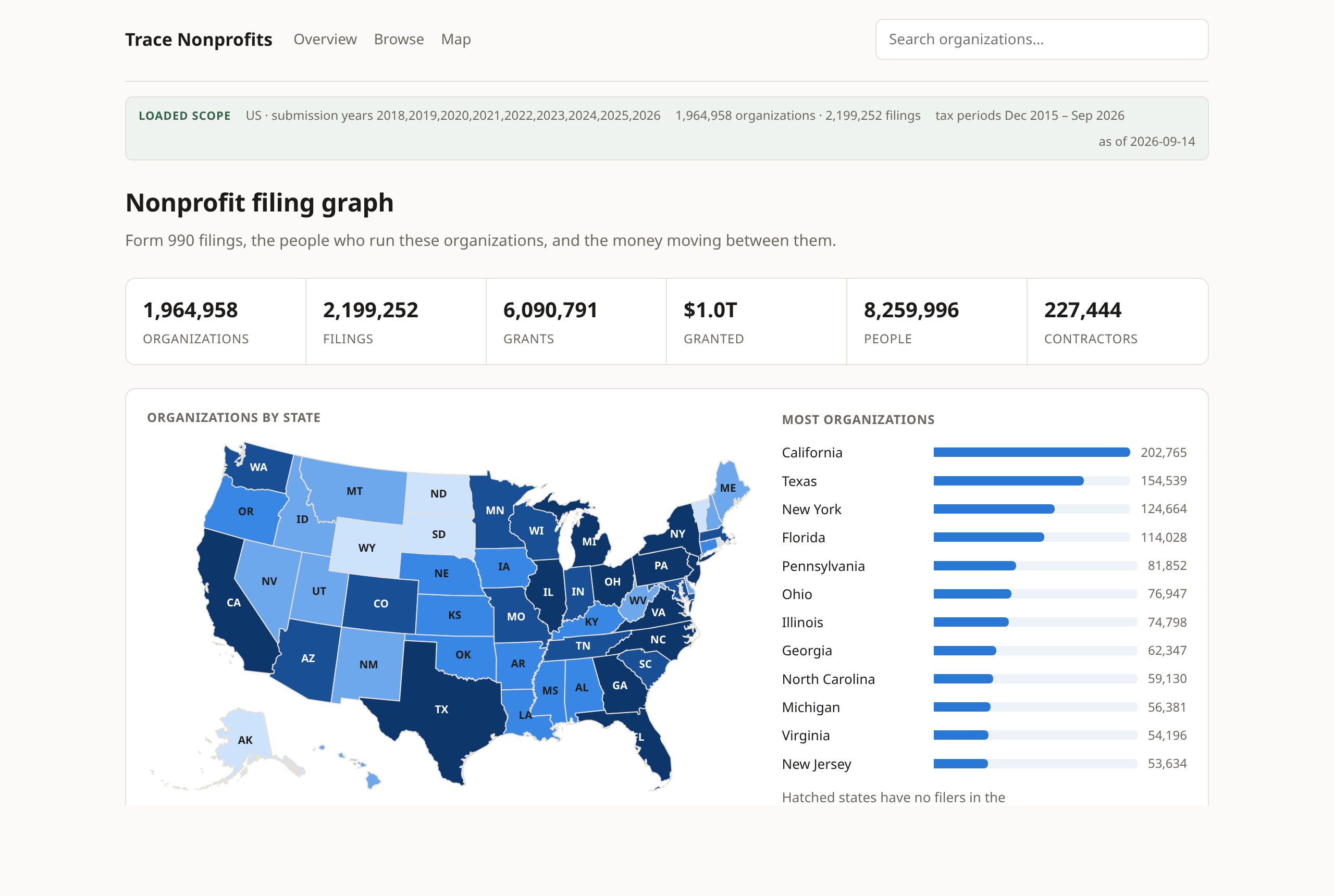
Two million organizations and every filing year the IRS has published, consolidated and connected. One place to look instead of one lookup at a time.
Grants made and grants received are links you click, not names you retype. Trace a funder two steps out in seconds.
Filter by cause, revenue, state and data quality. Counts, the national map and the table all move together, and the result exports to CSV.
New IRS and federal audit data is fetched and loaded automatically every month, so the picture is current whenever you open it.
Financial history, balance sheet, leadership and pay, major contractors, related organizations and grant lists. No PDFs to open.
What organizations disclosed on their own returns, and what independent auditors found, kept separate and never rolled into a score.
Every organization page reads the shape of the operation off the return, the related entities, the federal awards, the grants moving in and out, the capital assets, the contractor spend, and sets out which finance and accounting capabilities that back office plausibly has to handle. Consolidation across entities, grant and award lifecycle, allocating shared costs, fixed assets, payables, and more. You walk into the conversation knowing where the work is.
Twelve capabilities, sorted so the strong signals lead and the open questions sit above the settled ones. The shape of the answer is visible before you open anything.
Each one points at the schedule, the line and the figure it came from. You can check it against the return itself rather than take it on trust, which is the difference between a finding and an assertion.
Where the return does not answer the question, it says so rather than guessing. A question nobody answered and a question answered no are different things, and reading one as the other is how you lose a meeting.
Findings are described in accounting terms and name no software, with room against each one to write in whatever your own catalog calls it. When you want systems named, an ERP Comparison module is available upon request and configuration.
ProPublica's Nonprofit Explorer, GuideStar and the IRS itself make a single organization easy to look up, and they do it well. What none of them let you do is follow anything. A grant is a name on a page, not a link to the recipient, so every question that crosses an organizational boundary becomes an afternoon.
The demo runs on real nonprofit data with nothing to install.